Skip to content
Language
DE EN FR
Start a project

Headless CMS for professional websites

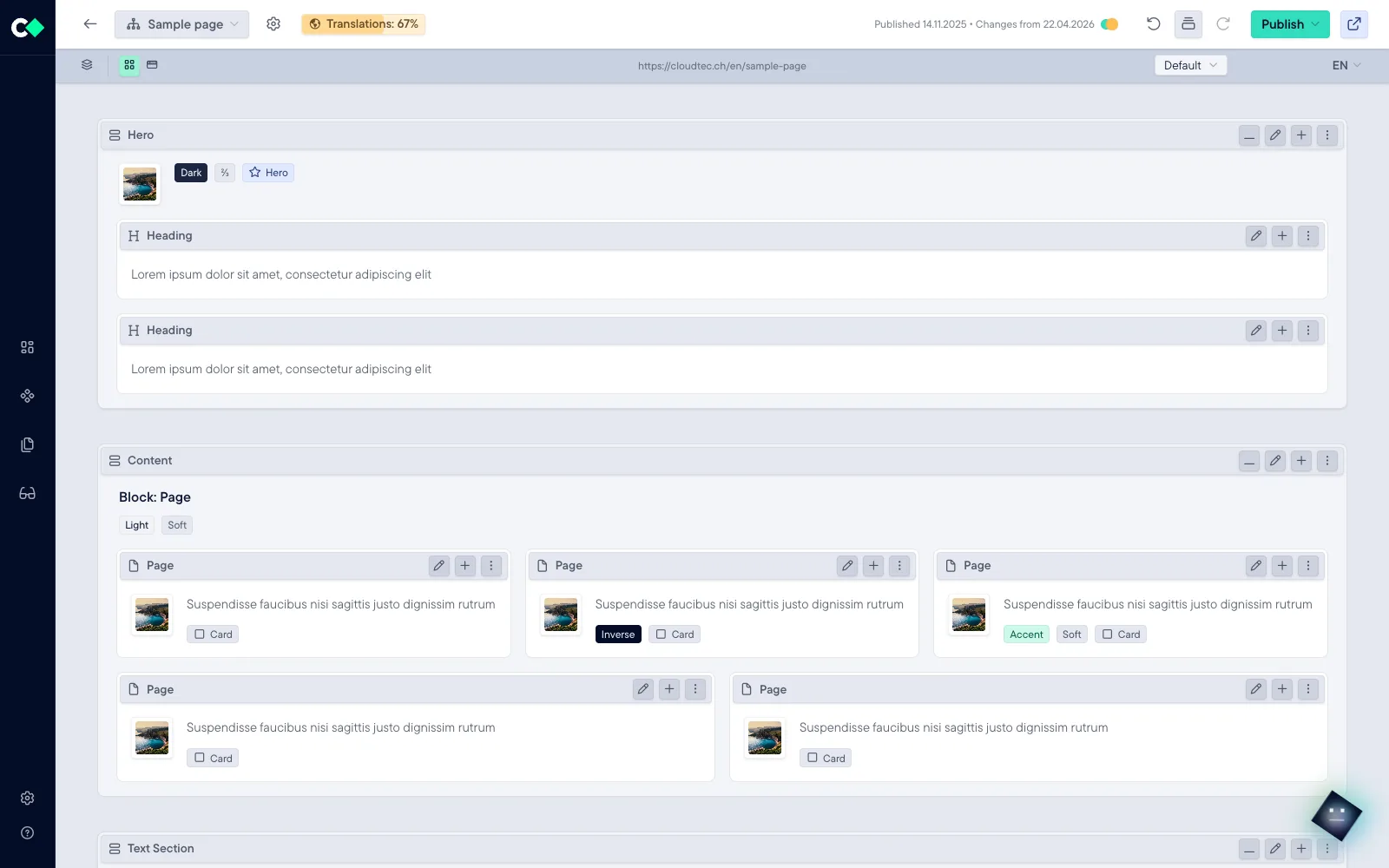
Stack CMS is the content management system of the cloudtec Stack, and its interface is the finished page. Place blocks, control the layout per screen size, maintain content in several languages and publish when the time is right.

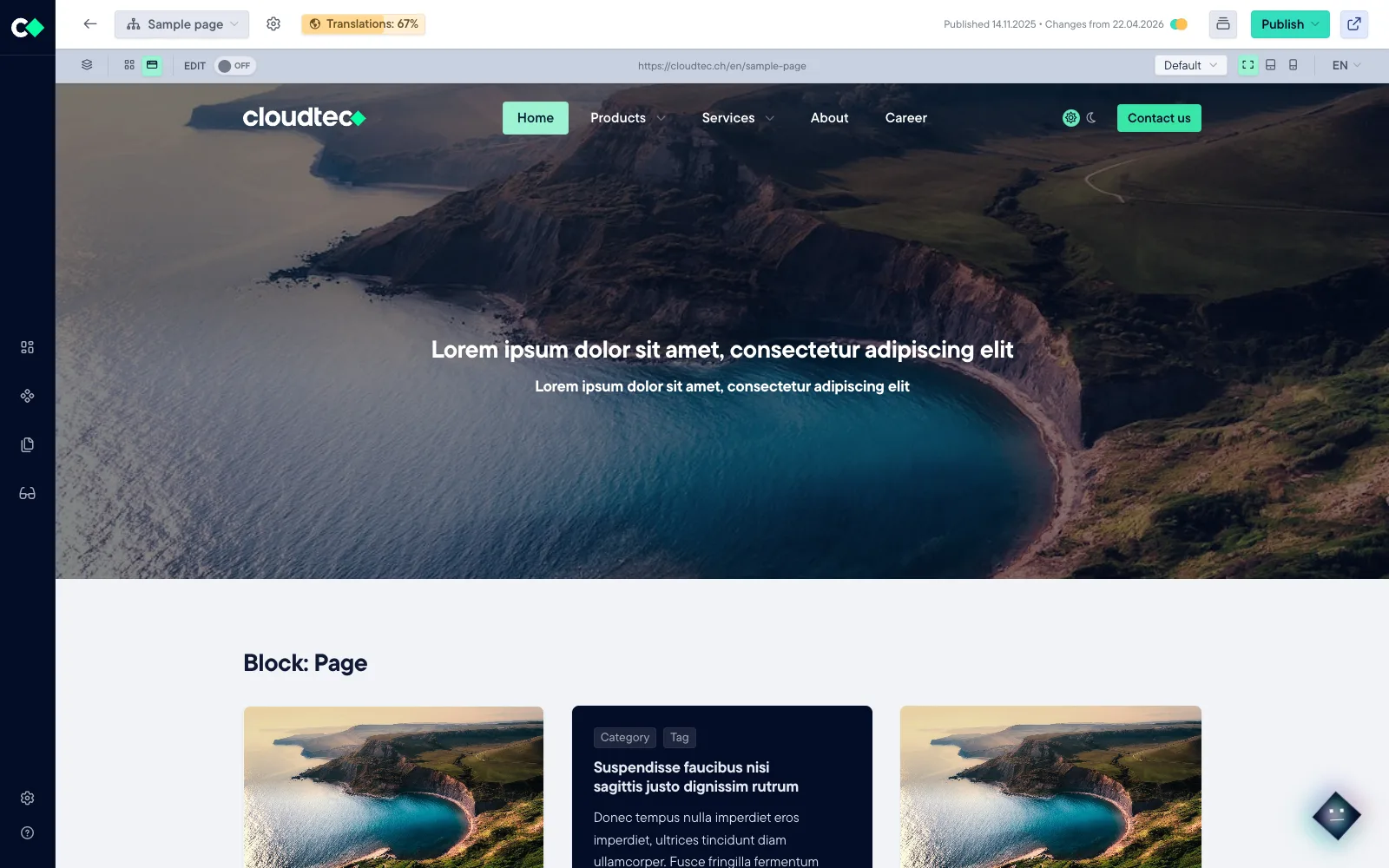
The editor shows the website in its original view with editing mode switched on: toolbars on every block, translation progress, device and language preview and a publish menu. In Grid Mode, the same page appears as a skeleton of sections and blocks with configuration chips.


Visual Mode
Grid Mode
31Content blocks in the toolkit
MCPAgent access as an option
HeadlessAPI for data processing
ISO 27001Certified operations
The difference

You work directly on the page

Most content management systems show you an abstraction of your website and hope you can picture it. Stack CMS shows you the website.

Fill in a form and hope

See the page and change it

Free HTML that dilutes the brand

Blocks from the design system

Translation as a copy of the page tree

Languages on the field

One page, two perspectives

Visual Mode shows the result, Grid Mode the skeleton. No switching context, no reloading: the same elements, presented differently.

The page as it is

You edit exactly the website your visitors see. Every change appears immediately as it will look once published.

Whether a heading breaks cleanly or an image holds up next to the text, you judge from the result rather than in an input form. That saves the rounds between form and preview.

Reading and editing are one click apart. You check a page with an outsider’s eye and then carry on working without a detour, even after a reload.

The editor in Visual Mode: the finished website with toolbars on the blocks.

More than 30 blocks from one design system

All blocks come from the same design system as the website. Layouts stay consistent without anyone writing CSS.

Basic14
  • Heading
  • Text
  • Media
  • Media w/ Text
  • Buttons
  • Video
  • Icon
  • Icon Collection
  • Icon Box
  • Divider
  • Quotes
  • iFrame
  • Downloads
  • Page
Advanced7
  • Group
  • Tabs
  • Accordion
  • Snippet
  • Media Collection
  • Page Collection
  • Contact
Dynamic5
  • Downloads
  • Media Collection
  • Page Collection
  • Grid
  • FAQ
Forms5
  • Custom form
  • Newsletter
  • Survey
  • Search
  • Grid Filter
Abstract graphic: several large green areas of different sizes, arranged freely rather than on a grid.

Your own templates

Nothing is fixed. Configure pages, sections and blocks as you like, save them as a template under your own name and reuse them. The library grows out of your own work.

Abstract graphic: a cyan bar and its identical repetitions receding into the distance.

Global elements

Maintain once, up to date everywhere. A global element lives in one place and appears on every page that includes it. Changes take effect everywhere at once.

Abstract graphic: a violet point of origin from which two different outputs grow: parallel lines and a grid.

Dynamic blocks

Choose a source from the sitemap, switch on fields and output them as a list, slider, navigation or tiles. The Grid Filter adds faceted filtering in the front end.

Multilingual right on the content

Not in a second page tree, not in a separate tool. Any number of languages sit directly on the content. You create a new language and translate it.

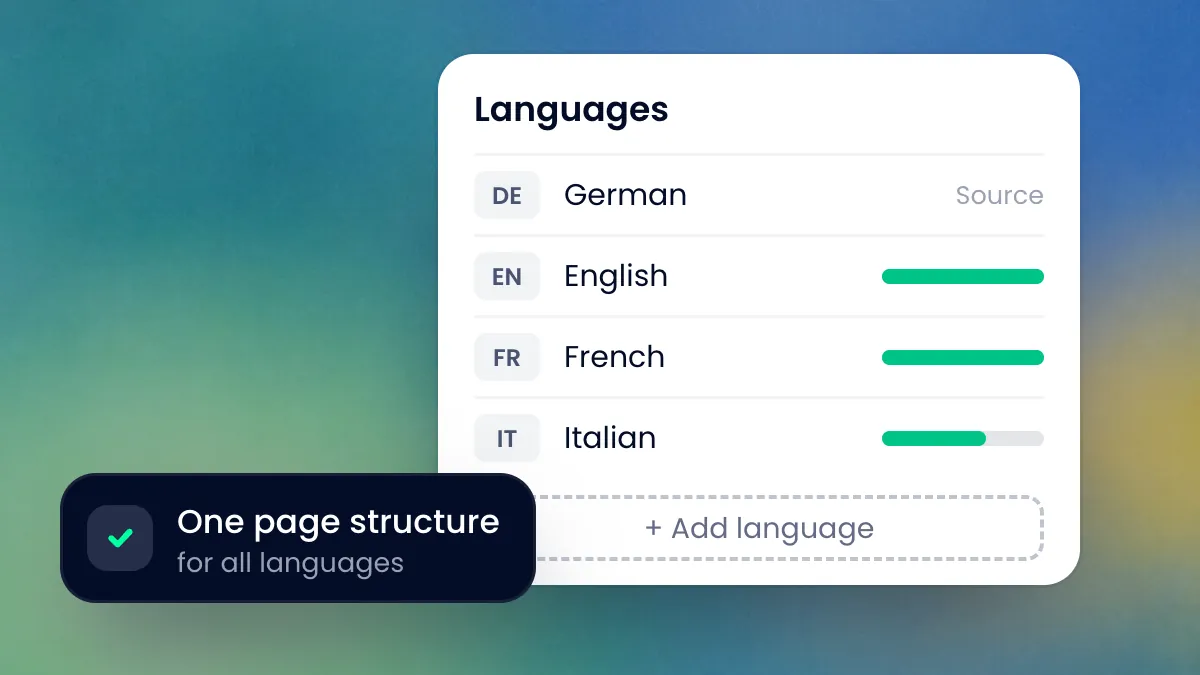
The language settings: German is the source, English and French are fully translated, Italian is at 64 per cent. Below is the button for adding another language.

Any number of languages

No upper limit and no duplicates. Create a language, translate, publish: the structure of the page stays the same, only the content is added.

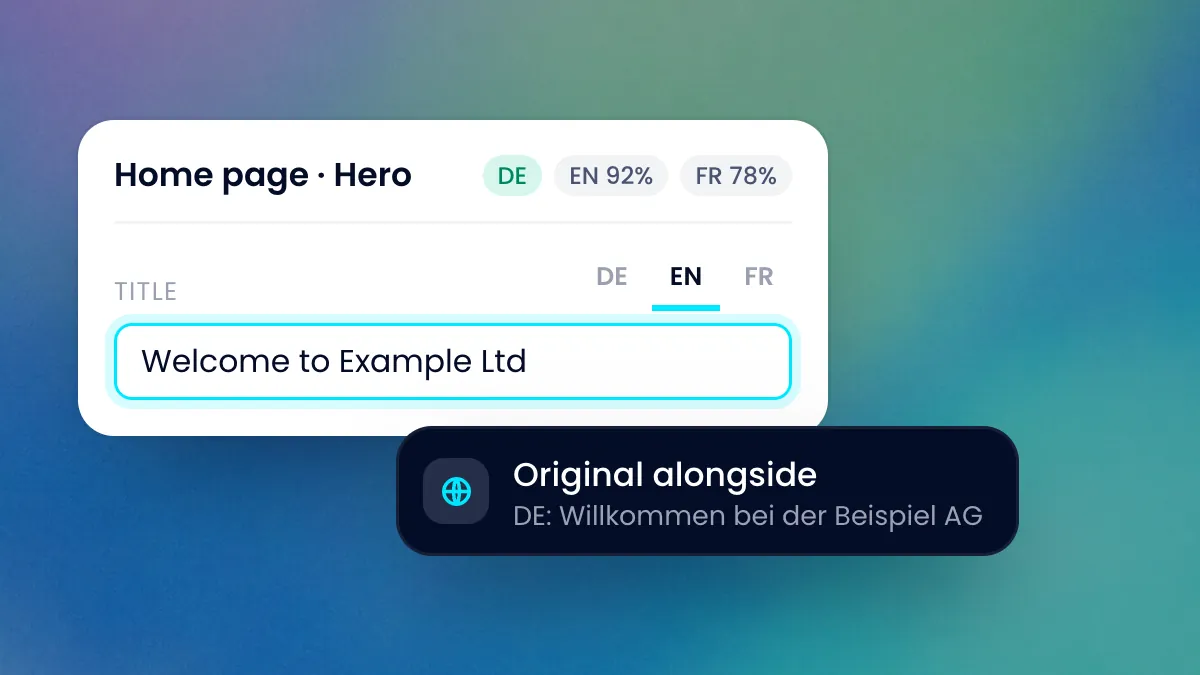
A title field with the tabs German, English and French. The English text is open, the German original right next to it.

Language tabs on the field

Every text field has its languages right next to it: original and translation at a glance, without changing page. The header shows the progress per language.

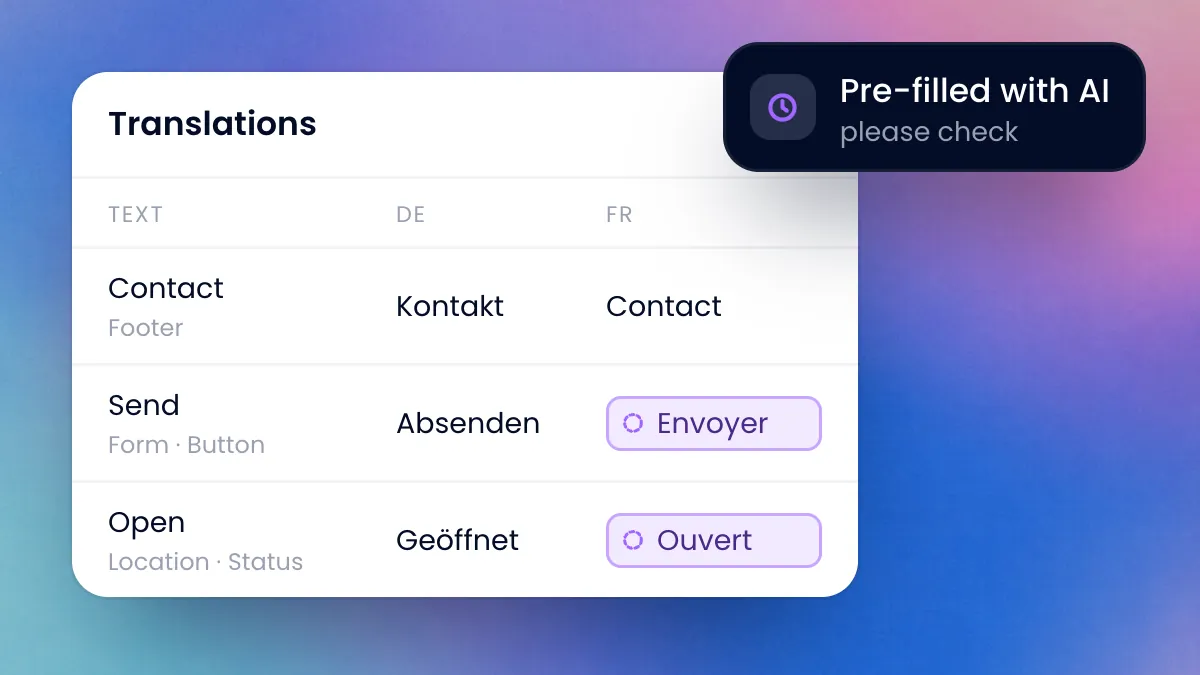
A table with texts, their location on the page and the versions in German and French. Two missing French texts have been suggested by the AI.

Translation Manager

All translatable texts in one table, with a context column showing where a text sits on the page. The AI pre-fills missing translations at the click of a button.

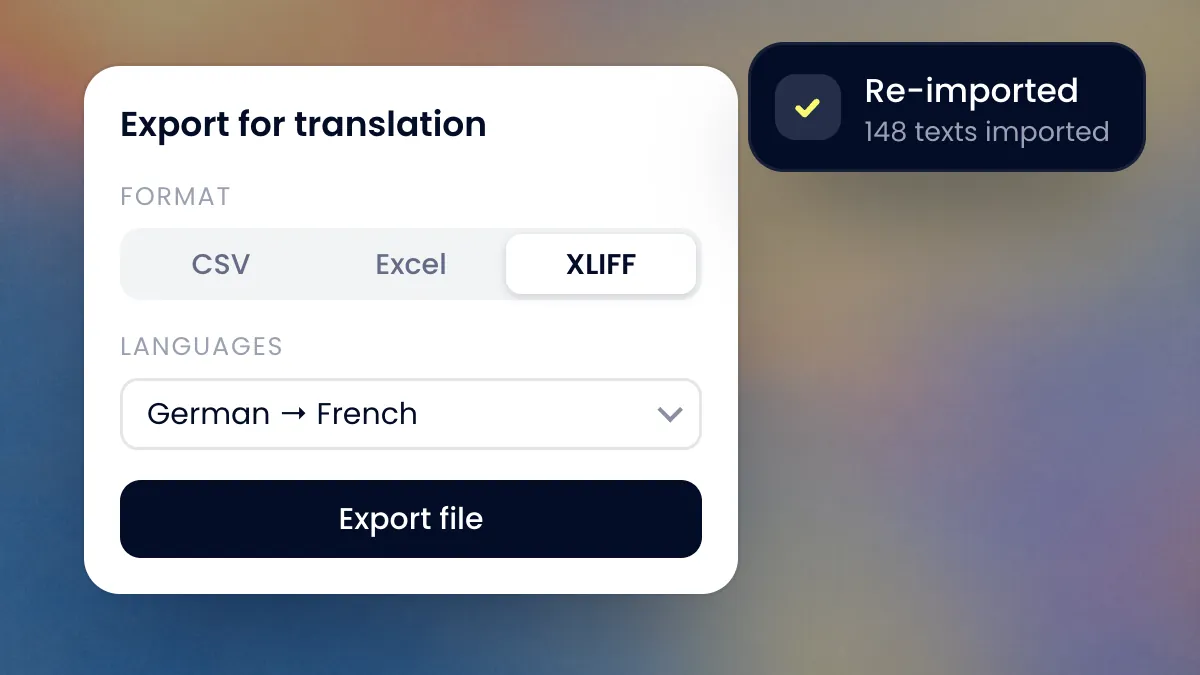
The export for translation: format XLIFF, languages German to French. Next to it, the note that 148 translated texts have been imported back.

Export for the translation agency

CSV, Excel or XLIFF: if you have texts translated externally, you export them and import them back. You can also hide content per language, block by block.

Publishing and approval workflows

Six states, scheduled publishing and a history that can undo every step. If you publish every day, you should be able to do it without worrying.

  • Published
  • Draft
  • Published + Changes
  • Scheduled
  • In Review
  • Archived

You can always go back

Every step can be undone, right back to the version that is currently online. So you try out changes instead of putting them off out of caution.

A page goes online when the time is right: immediately or at a set time, even if nobody is at their desk then. Whoever has to approve sees the preview before anything is published.

If you spot a mistake on the website, you correct it right there. As long as you are logged in, a slim bar takes you straight into editing, without a detour via a back end and a search for the page.

Tools around the editor

The editor is where content is created. Around it are the functions that support day-to-day operations.

Dashboard

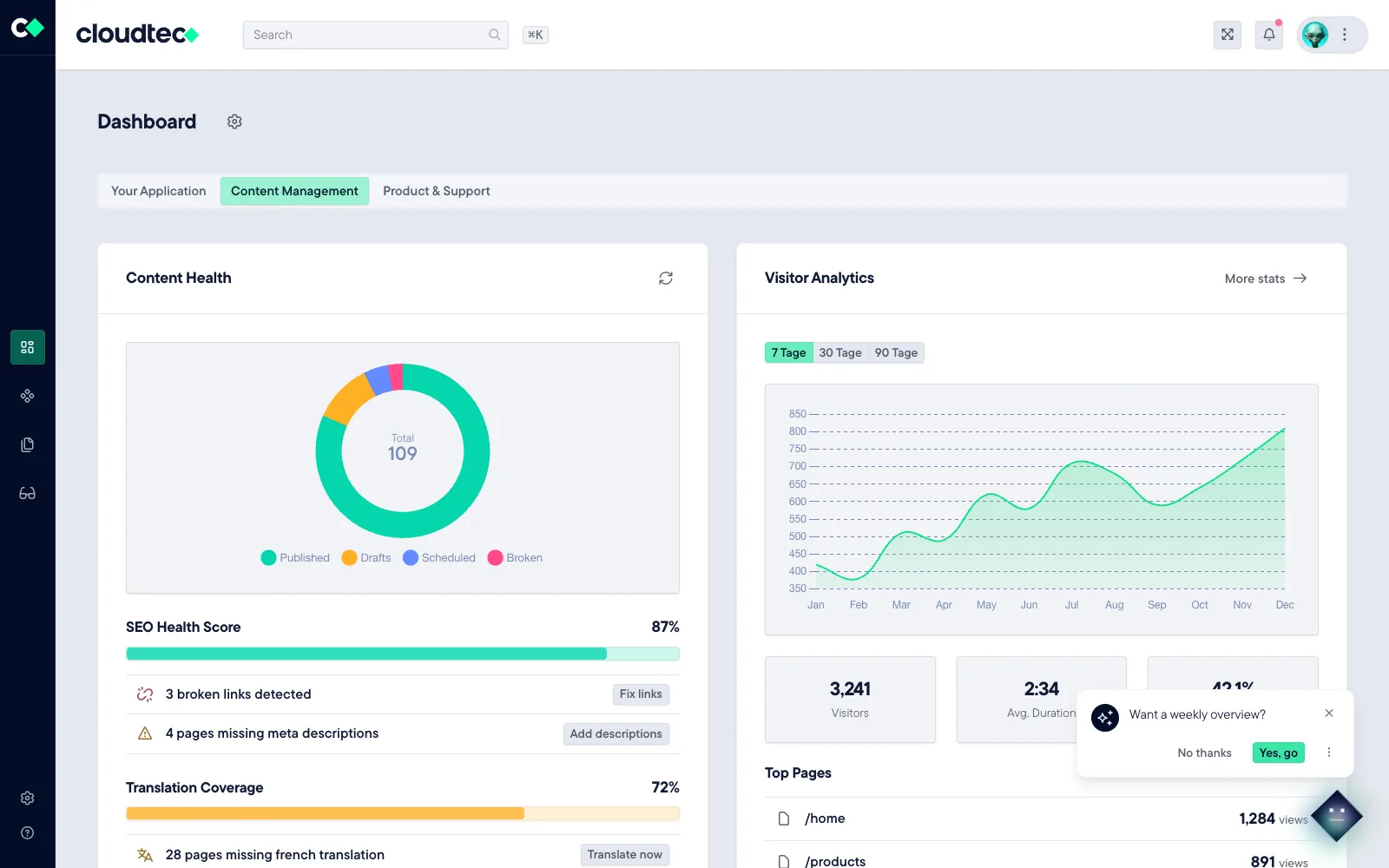
At a glance you see what is waiting: open tasks, approvals that are due and pages that need attention. So work starts with what matters instead of with searching.

Publishing Desk

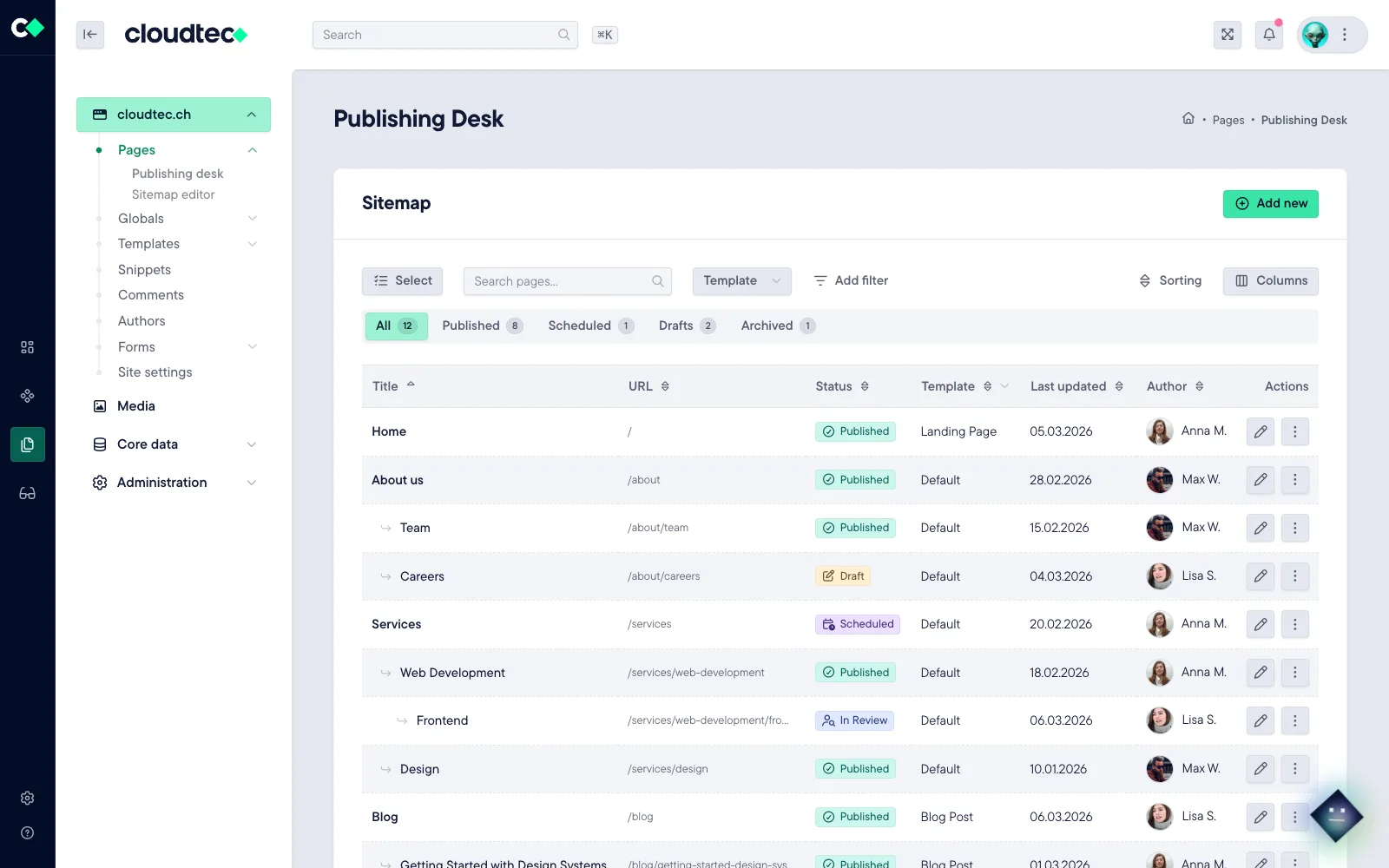
If you look after many pages, you quickly find the right ones here and change them together instead of one after another.

Media Library

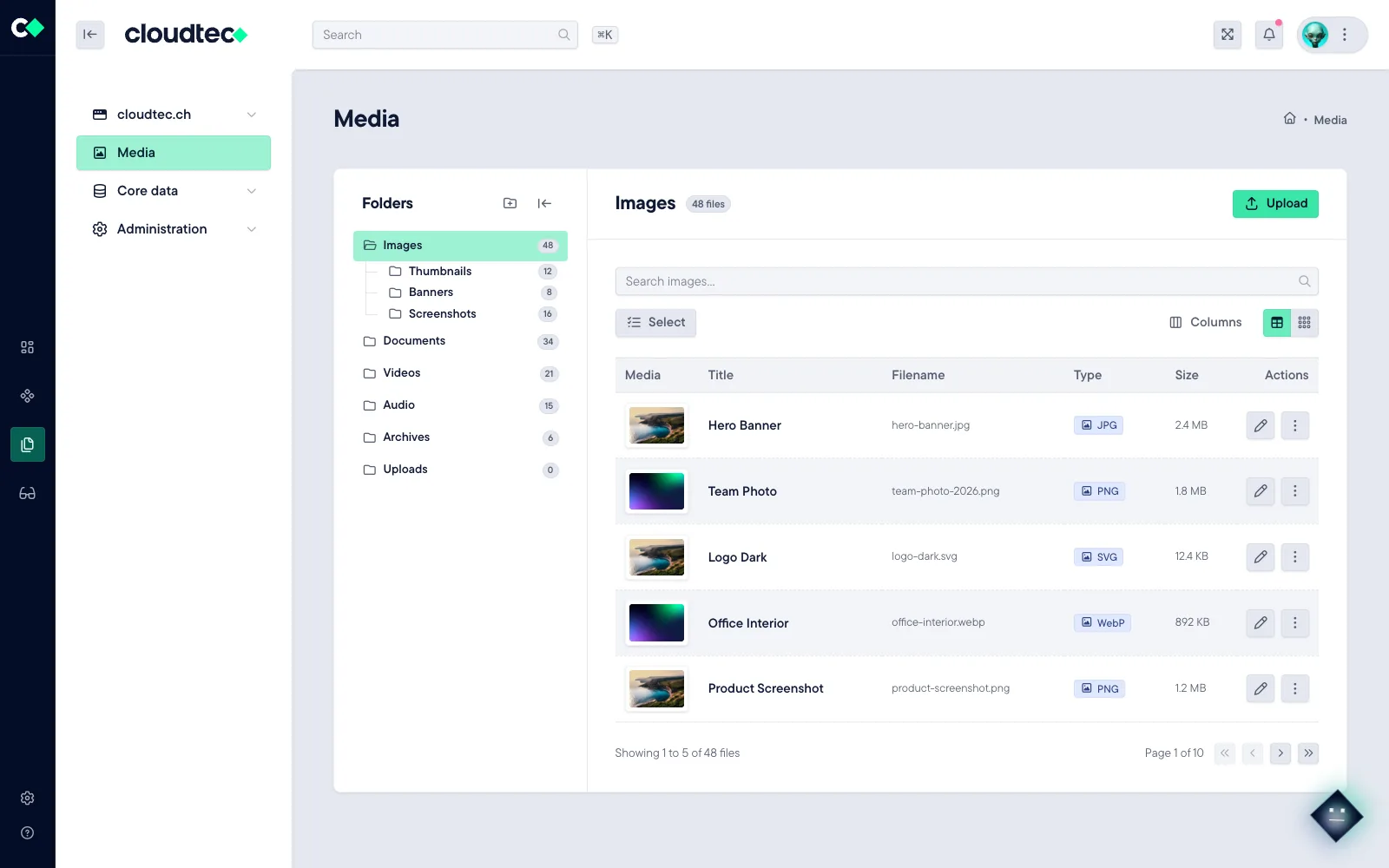
You store an image once and use it everywhere. Soon the AI will also suggest alt texts and keywords on upload. That saves maintenance work and helps accessibility.

Sitemap editor

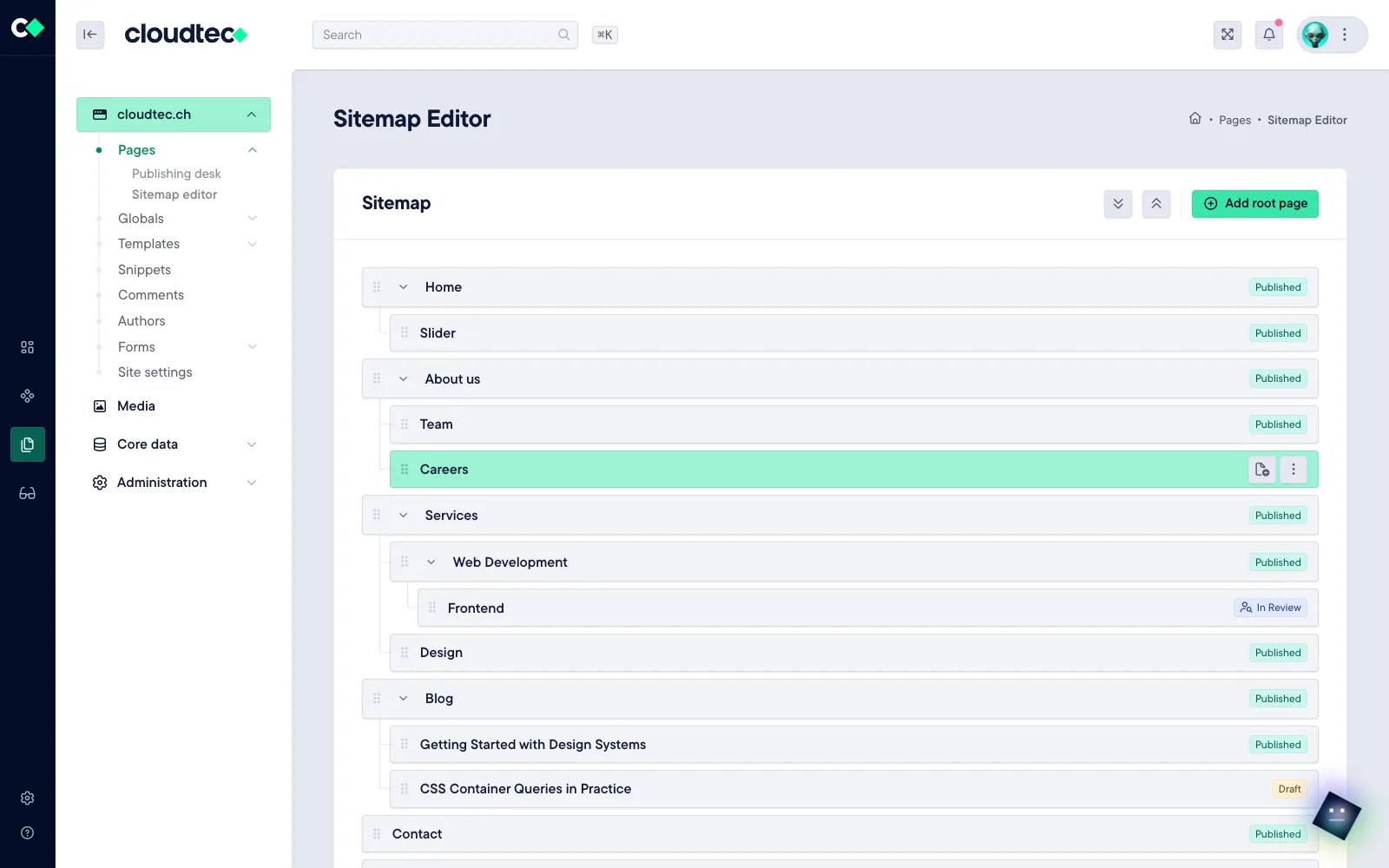
You change the structure of the website in one place, and the navigation and page selection follow immediately. No menu has to be adjusted by hand afterwards.

Standards

What every website needs today

Visitors, search engines and AI systems expect a website that is accessible, findable and secure. Stack CMS comes with all of that.

Accessible

Your website can be used with a keyboard and screen reader and is considerate of anyone who struggles with movement on screen. Languages that run from right to left are also catered for.

SEO-friendly

Search engines find what you write, with no rework. The system handles the technical part, and the SEO assistant points out gaps while you are still writing, in every language.

Optimised for AI search

AI assistants receive your content in an orderly form instead of having to guess it from the layout. So people searching via an AI find what is actually on your website.

Current code standards

The interface uses what browsers can do natively today instead of tying you to a framework. You adjust colours or a dark colour scheme without rebuilding.

Headless API

You maintain content once and deliver it everywhere, including to apps. Because CRM, ERP and PIM are connected to the same interface, content and business data mesh together.

Securely operated

Your data stays in Switzerland, in operations certified to ISO/IEC 27001. You decide for each site individually who may see and change what.

Case studies

Stack CMS in use

Three websites, built so that the clients’ teams maintain their own content.

Leisure & tourism · Platform

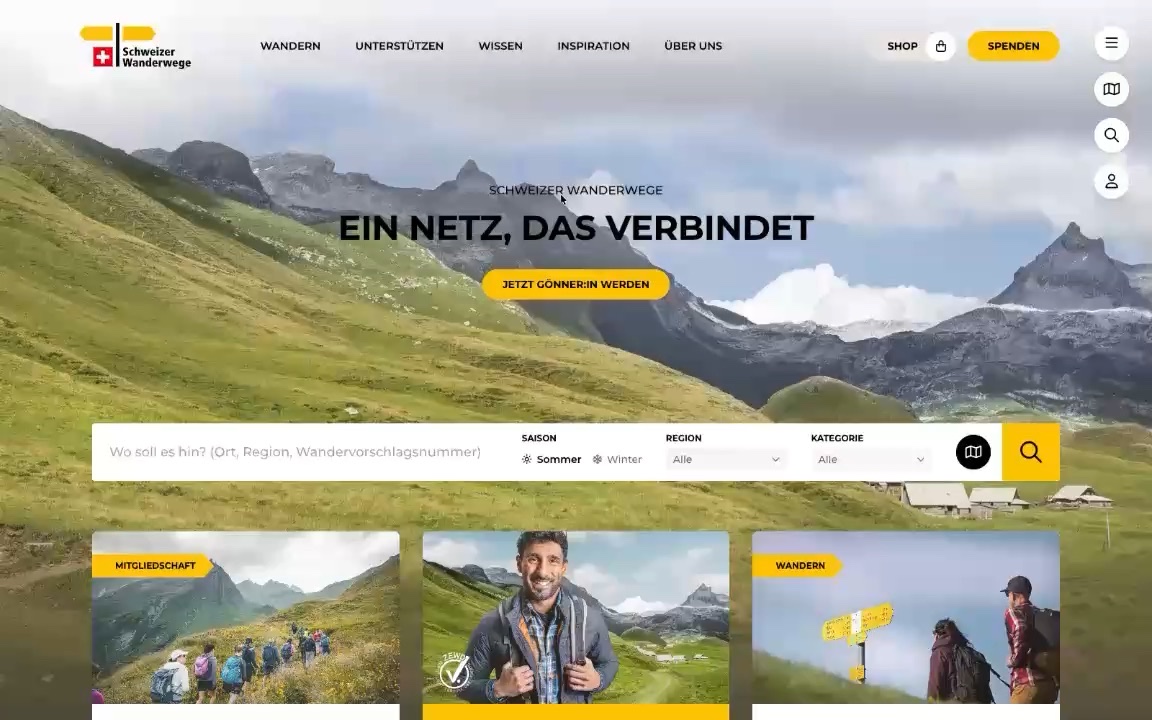
Swiss Hiking Trail Federation

Content blocks instead of rigid templates: the editorial team arranges content freely and maintains it in three languages, with an overview of which language is still missing.

View case study: Swiss Hiking Trail Federation
Retail · Corporate website

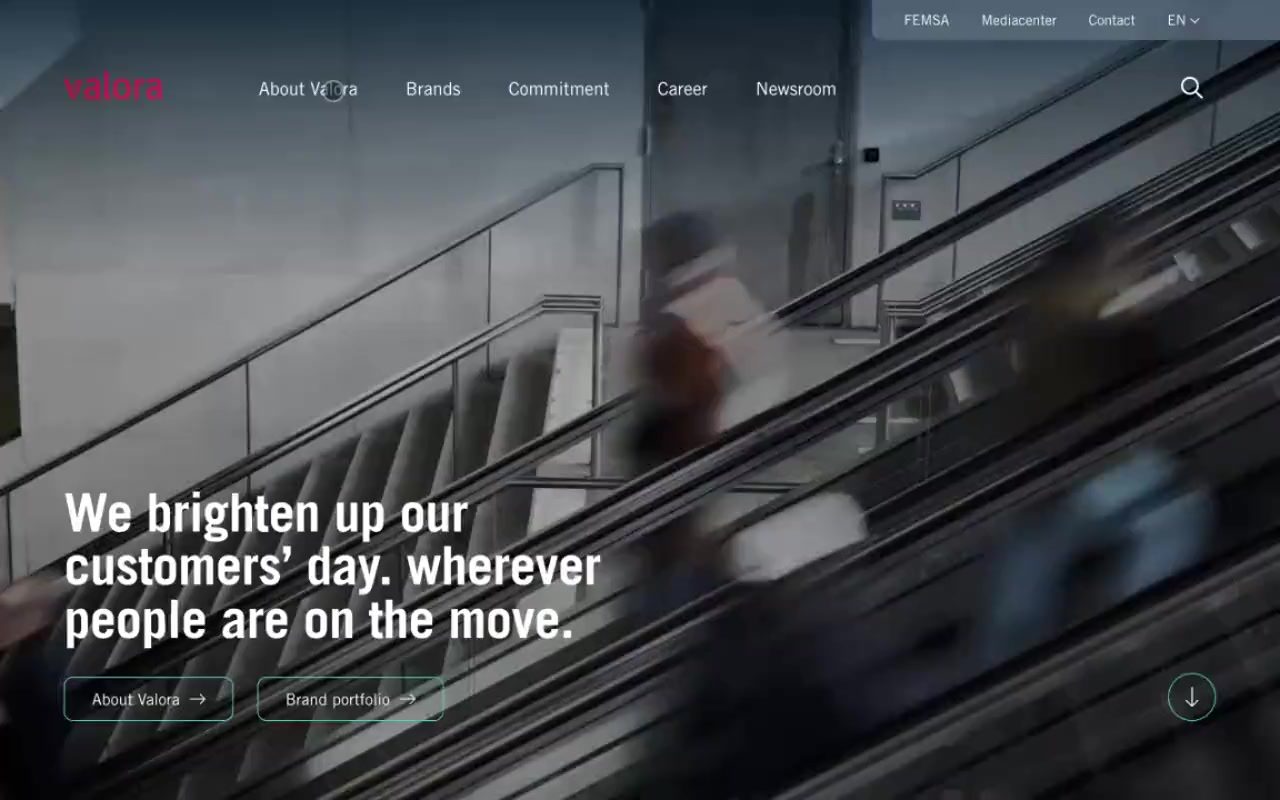
Valora

Stack CMS for the content, Publio for publishing: one editorial flow for four languages and several brands, designed for the communications team.

View case study: Valora

Want to see Stack CMS in action?

We’ll show you the system in a personal demo: with your requirements, not with generic slides.