Skip to content
Language
DE EN FR
Start a project

Your platform doesn’t start from scratch

Modular platform architecture based on Symfony, hardened in more than ten years of production. An integrated CMS, AI features and Swiss hosting are included.

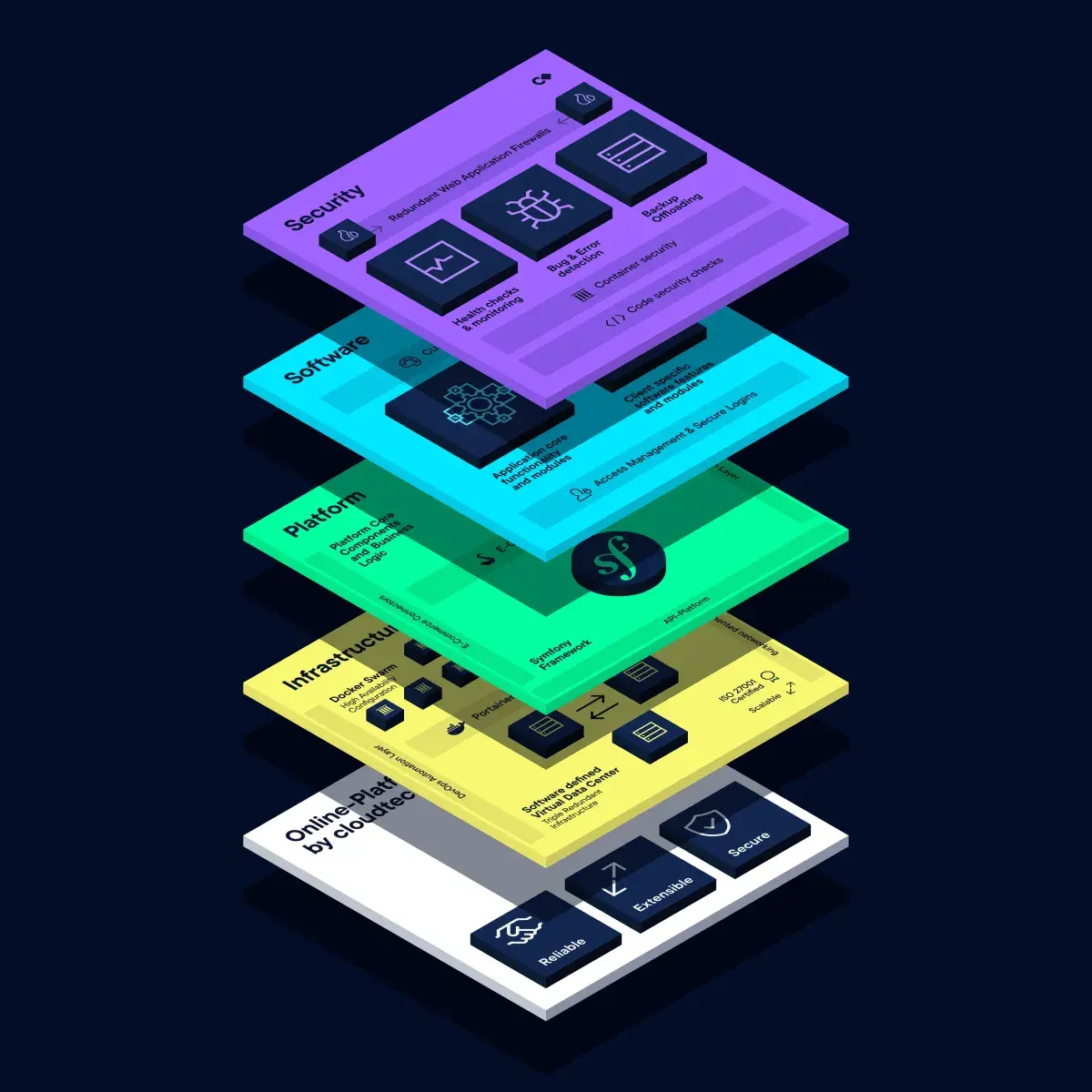
The cloudtec Stack in four layers, from bottom to top: infrastructure with Docker Swarm, Portainer and a software-defined Virtual Data Center. Platform with queues, processes and messages on Symfony, API Platform and an e-commerce framework. Software with an application core, client-specific modules and a custom interface. Security with health checks, error detection and off-site backups.

Stack CMS

Headless CMS with a flexible block system, multilingual content, multi-tenancy and an MCP interface. A CMS that belongs to the stack and grows with it.

Discover Stack CMS

AI in the stack

Writing Assistant in the editor and your own agent in the system via MCP. AI is part of the architecture: not retrofitted, but built in.

See the AI features

Technology

Symfony, API Platform, Sylius, Docker, MariaDB: open-source tools, chosen by the development team. Proven in production.

See the technology stack
Starting point

Online platforms are complex

An online platform is more than classic process support. It connects data, products and stakeholders through an application that runs in the browser.

Abstract graphic: three glowing green nodes, connected by long curved paths of light.

Connect stakeholders

A platform makes information accessible to different user groups, internal and external, on desktop and mobile devices.

Abstract graphic: six cyan streams of light converging into a single bright band.

Integrate systems

The platform securely retrieves data from ERP, CRM and specialist applications, prepares it and shows each role the data it needs for its task.

Abstract graphic: a violet pulse of light sending concentric waves outwards.

Trigger processes

Stakeholders interact with the platform and so trigger processes in connected systems.

The principle

60% foundation
40% your solution

Every platform needs user management, roles, an API layer, a CMS, hosting and monitoring. Our stack covers exactly these recurring requirements. You don’t pay for standard problems, but for what moves your business forward.

Comes from the stack: built, tested, in operation Your customisation: business model, processes, interface
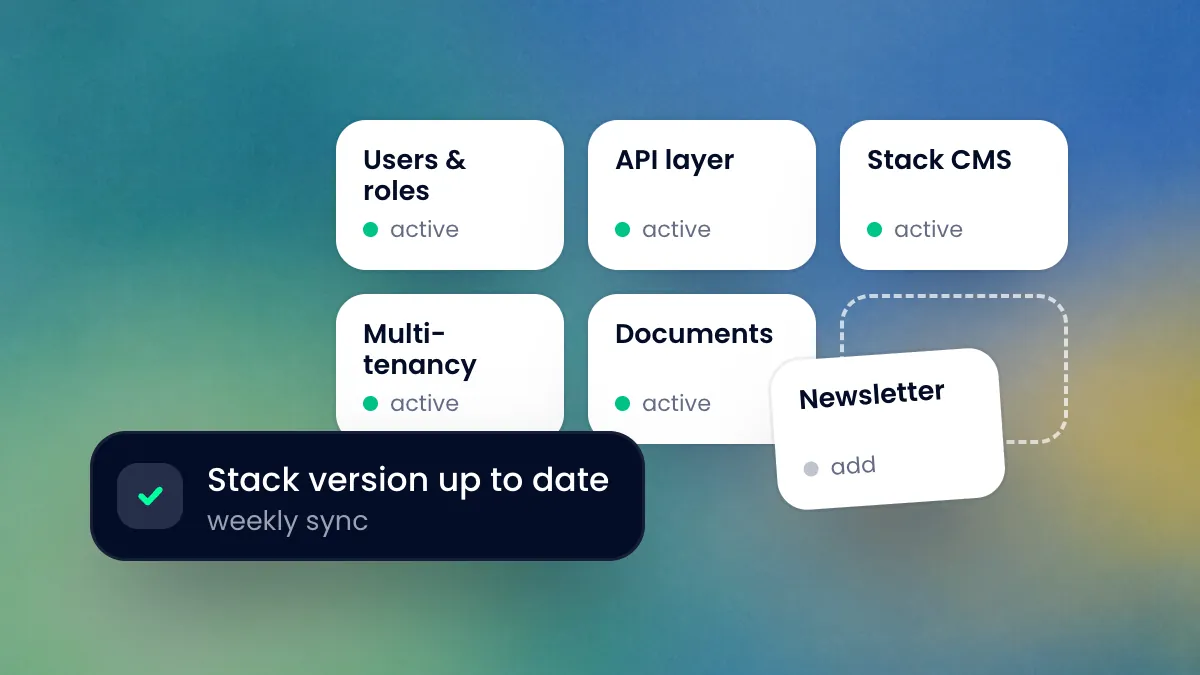
Module tiles for users and roles, API layer, Stack CMS, multi-tenancy and documents are active, and the newsletter module is being dragged into the free slot. Next to it a note that the stack version is up to date with the weekly sync.

Modular toolkit

Base components come as bundles from the centrally maintained stack, the interface from Stack UI, our own UI framework. For each project we activate, deactivate or extend them, and every platform on the current stack version receives updates with the weekly sync.
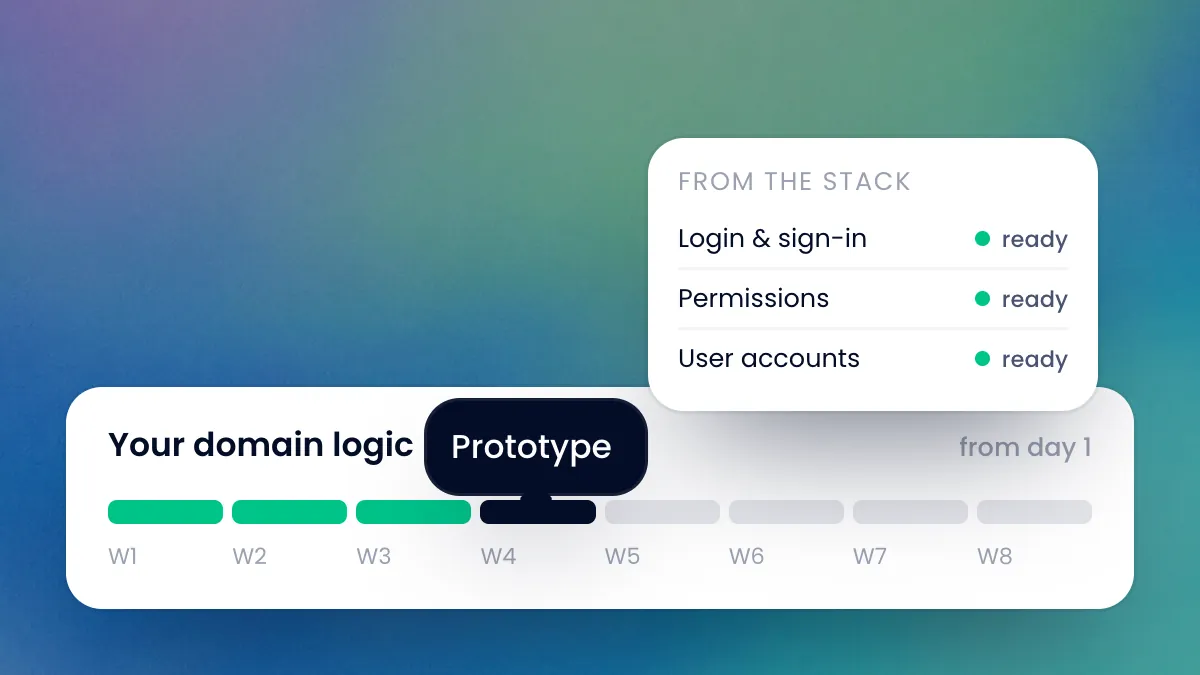
Login, permission management and user accounts are already done, straight from the stack. Below, the timeline for your own business logic from day 1, with the prototype in week 4.

A faster start

Prototypes in weeks rather than months. From day one, the team builds your business logic, not login screens and permission management.
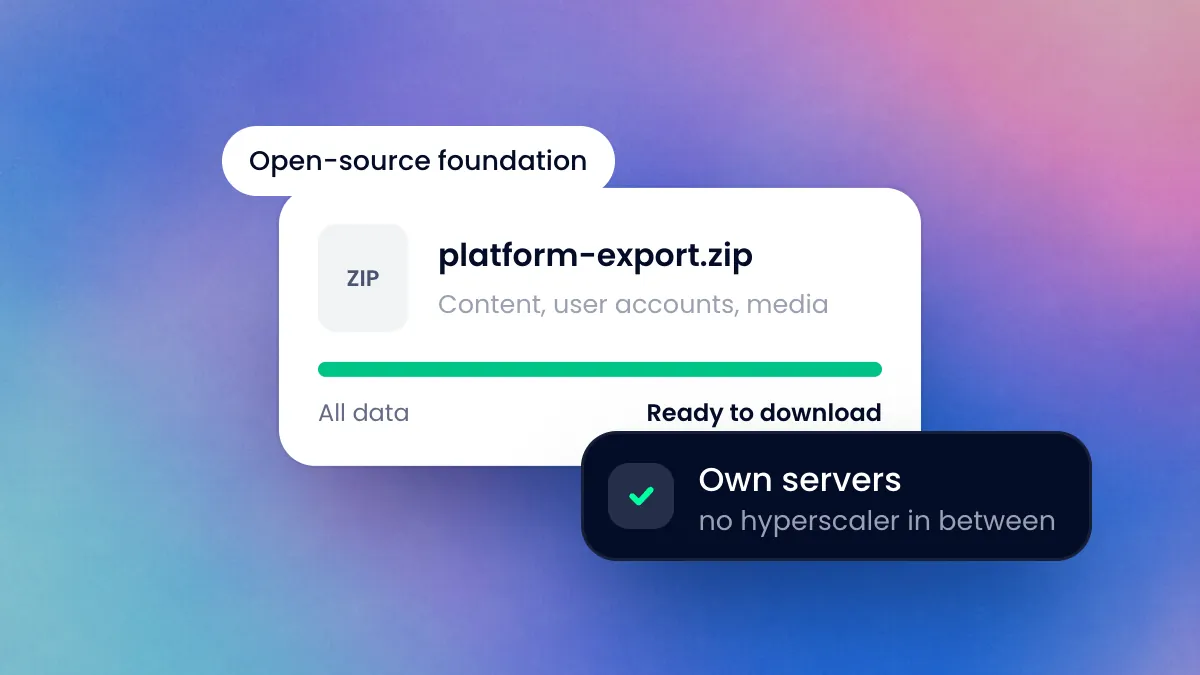
A finished export file with content, user accounts and media, ready to download. Alongside, notes on the open-source foundation and own servers with no hyperscaler in between.

Independent and future-proof

One partner instead of many suppliers: we build the stack ourselves and run it on our own virtual servers, with no agency or hyperscaler in between. The foundation is open source, the stack is continuously developed further for all clients, and your data remains yours, exportable at any time.

Architecture

Components of the stack

The platform architecture is based on Symfony and built in modules. Every component can be activated, configured and extended independently.

Platform core

Symfony as the foundation, functions as bundles from the centrally maintained stack. Modules are activated per project, permissions assigned per tenant and role.

API & integration

API Platform provides REST interfaces with OpenAPI documentation. Message queues and webhooks connect ERP, PIM and payment providers asynchronously via JSON.

Data & search

MariaDB and MongoDB for structured and document-based data, Apache Solr for full-text search, Doctrine as a type-safe abstraction.

Users and access

Users, roles and permissions down to organisation level, and login with two-factor authentication, are part of the stack’s foundation.

Quality assurance

PHPUnit, Behat and Selenium run automated tests, Blackfire measures speed. Delivery runs via Bitbucket Pipelines.

Hosting & operations

Docker containers in the Swiss VDC, redundant across two locations. Portainer, NGINX and OPNsense, monitoring and updates included.

Which modules you can add

Modules are put together individually per project and tenant. Each module can be tested independently and activated later.

Base functions

included in the stack
  • User managementUser accounts, roles, self-service

    Manage users, roles and organisations centrally on one platform. Self-service functions for registration, password reset and profile maintenance take the load off administration and support.

    Features

    • User and role management
    • Organisations and groups
    • Self-service registration
    • Password reset and user activation
    • User profiles and settings
    • Delegations and deputies
    • Role-based platform access
    • Extensible with the SSO module

    What you gain

    New employees set up their access themselves and automatically receive the right roles. Every access remains traceable in an auditable user overview.

    In practice

    A company’s employees register via the self-service function. The platform automatically assigns roles based on the email domain and organisation membership.

  • PermissionsRoles, permissions, inheritance

    Control access in fine detail via roles, objects and status. Permission inheritance, tenant context and approval logic cover even complex organisational structures.

    Features

    • Role-based permissions
    • Object- and record-based access
    • Dynamic permissions depending on status or context
    • Visibility control
    • Sign-off and approval rights
    • Tenant-specific permissions
    • Permission inheritance
    • Auditable permission changes

    What you gain

    You map external partners, internal teams and multiple tenants in one permission model. Every change to permissions is logged with user account, timestamp and previous state.

    In practice

    Anyone coming from an external partner sees only their own projects. Internal employees also get the administration functions that match their role.

  • AuthenticationLogin, MFA, passkeys

    Protect access with modern authentication methods. MFA, passkeys, session management and password policies are auditable throughout.

    Features

    • Username/password login
    • Multi-factor authentication (MFA)
    • Passkey support
    • Session management
    • Password policies
    • Device and access validation
    • Brute-force protection
    • Authentication logging

    What you gain

    You protect internal and external access with methods that can be combined. Authentication events flow into central logging and are available for security reviews.

    In practice

    Employees log in with a passkey. People from external partners use MFA via an authenticator app. Every login attempt is logged.

  • Data managementStructured, validated, versioned

    Model business data with clear relationships, statuses and lifecycle rules. Validations take effect on the server side and keep data quality stable even with many people editing at once.

    Features

    • Structured data models
    • Validations and data rules
    • History and versioning
    • Relationships between records
    • Status and lifecycle management
    • Data integrations
    • Workflow dependencies
    • Import and synchronisation processes

    What you gain

    You keep master data, transaction data and audit information cleanly separated. Versioning makes changes traceable across the entire data history.

    In practice

    Patient data, referrals and status changes are stored with versioning. Every earlier state can be reconstructed with user account and timestamp.

  • Lists & filtersSort, filter, export

    Process large volumes of data in dynamic tables with filters, grouping and saved views. Bulk actions and inline editing speed up day-to-day work.

    Features

    • Dynamic table views
    • Filters and search functions
    • Sorting and grouping
    • Saved views
    • Bulk actions
    • Role-dependent views
    • Inline editing
    • Export functions

    What you gain

    You analyse thousands of records without a drop in performance. Saved views and role-based filters adapt to every use case.

    In practice

    Case workers filter all open cases with high priority. The filtered view is saved and set up as a recurring Excel export.

  • APIREST, versioned, integration layer

    Provide data and functions via the integration layer for internal applications and connected systems. REST and GraphQL endpoints are versioned and token-authenticated. Rate limiting, developer portal and key management come with the API platform module.

    Features

    • REST and GraphQL APIs
    • API versioning
    • Authentication and tokens
    • Monitoring and logging
    • Webhooks and events
    • Role-based API access

    What you gain

    You connect ERP, CRM and specialist systems via documented endpoints. Webhooks and API logs make every data movement traceable.

    In practice

    An ERP system synchronises customer data and invoice information with the platform. Status changes are reported back to the ERP via signed webhooks.

  • SearchDatabase, filters, suggestions

    Search content and data directly via the platform’s database. For large data volumes, facets and synonyms, there is the Solr search module.

    Features

    • Full-text search
    • Facets and filters
    • Document search
    • Role-dependent search results
    • Search suggestions and autocomplete

    What you gain

    You find projects, documents and tickets in a single search query. Role-dependent results automatically respect existing permissions.

    In practice

    Someone searches for a customer number. The list of results shows open tickets, ongoing projects and related documents in a single view.

  • CachingApplication, API, edge

    Speed up platform responses with multi-level caching. Application, API and edge caches work in coordination and take targeted load off the database.

    Features

    • Server and application caching
    • Database caching
    • API caching
    • CDN integration
    • Cache invalidation
    • Session caching
    • Edge caching
    • Scaling optimisations

    What you gain

    You keep response times stable even under high load and with large volumes of data. At the same time, event-based cache invalidation keeps the data up to date.

    In practice

    Frequently requested lists are cached and delivered without database access. Changes invalidate the cache automatically.

  • AdministrationConfiguration in the browser

    Administer user accounts, roles, workflows and system settings via a central interface. Dashboards and audit overviews are built in directly.

    Features

    • User and role management
    • Configuration interfaces
    • Dashboards and reports
    • Workflow control
    • Data administration
    • Permission management
    • System configurations
    • Audit and activity overviews

    What you gain

    You configure platform modules without code changes. Business owners control processes themselves, leaving development free for more complex adjustments.

    In practice

    The administration creates a new workflow including approval steps directly in the browser. Changes take effect immediately, without a deployment.

  • File uploadUpload, virus scan, access rights

    Accept files securely: every upload is checked for viruses before it is stored in the platform. Images and media with variants and delivery via a CDN are managed by the media management module in Stack CMS.

    Features

    • File uploads
    • Virus scan on every upload
    • Access control
    • Versioning

    What you gain

    Uploaded files only enter the platform after the virus scan. Access control also protects sensitive documents.

    In practice

    Someone uploads a report as a PDF. The virus scan checks the file, and only then is it visible to the authorised roles.

  • Data exportCSV, Excel, JSON

    Export data ad hoc or on a schedule to common formats. Filters, role permissions and export history are integrated throughout.

    Features

    • CSV and Excel export
    • JSON and XML export
    • Scheduled exports
    • Role-based export permissions
    • Filter-dependent data exports
    • PDF generation
    • API-based exports
    • Export history

    What you gain

    You hand over analyses to Excel, BI tools or external systems. Scheduled exports run reliably in the background with no manual effort.

    In practice

    A monthly project report is generated automatically as an Excel file and sent to controlling. The export history documents every run.

  • NotificationsEmail, push, in-app

    Control notifications via email, push, SMS and in-app channels centrally. Templates, multilingual content and escalations are built in.

    Features

    • Email notifications
    • Push notifications
    • In-app notifications
    • SMS sending
    • Template management
    • Multilingual notifications
    • Escalations
    • Delivery status and logs

    What you gain

    You inform users promptly about status changes and approval steps. Delivery status and logs make every notification traceable.

    In practice

    When a case changes status, the responsible employees receive an in-app notification. If there is no response, the system escalates by email after a defined deadline.

Utility functions

optional, can be activated
  • TranslationMaintain content in several languages

    Maintain content, interfaces and system texts in several languages. Translation workflows, fallback languages and language-specific notifications are built in.

    Features

    • Multilingual content
    • Language-dependent user interfaces
    • Translation workflows
    • Fallback languages
    • Multilingual emails
    • Language-specific content
    • Language switching
    • Translation management

    What you gain

    You run international platforms with consistent language handling. Users switch language at any time without losing data or context.

    In practice

    A platform runs in parallel in German, French and Italian. Notifications are sent automatically in the recipient’s language.

  • ReportingKPIs, trends, drill-downs

    Analyse platform data in real time via configurable dashboards. Charts, drill-downs and time-based reports cover operational and strategic questions.

    Features

    • KPI dashboards
    • Charts and statistics
    • Real-time analyses
    • Export functions
    • Filters and drill-downs
    • Time-based reports
    • Role-dependent dashboards
    • Custom report definitions

    What you gain

    You see project status, ticket volume and revenue trends in one overview. Role-dependent dashboards give each function the key figures relevant to it.

    In practice

    Every week, the executive board analyses revenue and order trends via a central dashboard. Drill-downs lead directly to individual cases.

  • PDF engineInvoices, contracts, reports

    Generate invoices, contracts and reports with an exact layout from platform data, via a dedicated FOP server. Templates, multilingual content and digital signatures are built in.

    Features

    • PDF generation
    • Template management
    • Multilingual documents
    • Invoices and contracts
    • Automated sending
    • Digital signatures
    • Versioning
    • Layout adjustments

    What you gain

    You create documents automatically and consistently from ongoing business processes. Versioning and layout adjustments remain under control at all times.

    In practice

    An order is completed, the system generates the invoice as a PDF and sends it automatically. A versioned copy stays in the customer file.

  • LoggingTechnical logs

    Log technical events for operations and error analysis. User actions, API calls and system events can be viewed in one place. Audit-proof records come with the Audit module.

    Features

    • User activities
    • API logging
    • Error logging
    • Status changes
    • System events
    • Security logs
    • Exportable logs

    What you gain

    You find errors and anomalies quickly, because all technical events are logged in one place.

    In practice

    An interface suddenly returns errors. The log shows which API call failed, when, and with which response.

AI features

optional
  • AI gateway & language modelsCentral layer for external & local models

    Central AI integration layer for connecting and managing different language models. Models from external providers and locally operated models are addressed in the same way.

    Features

    • Unified API for language models from external providers and local models
    • Model routing by cost, speed, data classification
    • Access control and multi-tenancy
    • Cost and usage monitoring per team/tenant
    • API management, rate limits, caching
    • Security and compliance layer (PII masking optional)

    What you gain

    You integrate AI features into the platform and business processes in a controllable, traceable way and stay independent of individual providers.

    In practice

    The marketing team uses an external provider’s language model, the legal department a local model, both via the same platform API. Models can be switched without changing the applications.

  • Local AI processing & agent pipelinesPipelines, RAG, document AI on-prem

    Custom AI processing pipelines for specific business processes and data flows. Locally hosted models run within your own infrastructure. Sensitive data does not leave the controlled environment.

    Features

    • Local operation of open language models
    • Document analysis, classification, extraction
    • Semantic search & retrieval-augmented generation (RAG)
    • Connection to documents, databases, APIs, existing platforms
    • Vector databases & embedding pipelines
    • Versioned prompts and reproducible workflows

    What you gain

    Custom, data-protection-compliant AI workflows with high flexibility and traceability. Company knowledge is structured and made available to AI.

    In practice

    Contract analysis: uploaded PDFs are classified locally, clauses extracted and risks flagged. No contract leaves Swiss hosting.

  • AI agents & process automationAgents orchestrate ERP/CRM/specialist systems

    Intelligent AI agents for automating complex business processes. Agents analyse tasks, prepare decisions, connect external systems and orchestrate multi-step processes.

    Features

    • Standardised tool integration (MCP, OpenAPI)
    • Connection to ERP, CRM, specialist systems
    • Workflow engine: classic processes + AI decisions
    • Approvals, escalations, role permissions
    • Human in the loop for critical steps
    • Full traceability of every action

    What you gain

    Complex business processes become controllable, traceable AI workflows with clear handover points to people.

    In practice

    Onboarding a new supplier: the agent checks the documents, queries SAP and CRM and suggests a risk class. Someone from compliance confirms.

  • AI-assisted user interfacesNatural language, auto-fill, semantic search

    Classic user interfaces are extended with intelligent AI features. Users search, analyse and trigger processes in natural language.

    Features

    • AI search & semantic search in the UI
    • Intelligent form assistance & auto-fill
    • Automatic data extraction from documents
    • Context-based suggestions & explanations
    • Multimodal: text, image, speech
    • Learns from user feedback

    What you gain

    Modern, user-friendly platforms with less training effort. Users reach the result they want faster.

    In practice

    Someone types ‘All open invoices from Q3 from customers in Ticino’. The system filters, groups and suggests an export format.

Stack CMS by cloudtec

Base and four extensions
  • Stack CMSPage builder, editor, headless API

    Maintain websites via a block-based page builder with live preview and headless API delivery. Multilingual workflows per tenant and granular role control are part of the base.

    Features

    • Page builder with block system
    • Rich text editor (WYSIWYG)
    • Multilingual content and translation workflows
    • Media management with variant generation
    • Live preview for desktop, tablet and mobile
    • Roles and permissions per tenant
    • Headless API (REST)
    • Delivery to Next.js, Nuxt, native apps or static sites

    What you gain

    You maintain any number of client websites with several language versions on one instance. What you see in the preview is exactly what is published in the front end.

    In practice

    An agency runs 30 client websites on one instance. Each client company maintains content in German, French and English, with its own roles, its own layout and delivery to different front-end technologies.

  • Media managementUpload, variants, CDN

    Manage images, videos and documents centrally in a media library. Variant generation, image optimisation and CDN delivery happen automatically.

    Features

    • File uploads
    • Media library
    • Variant generation
    • Image optimisation
    • Metadata management
    • Access control
    • CDN delivery
    • Versioning

    What you gain

    You deliver media with high performance via the CDN. Access control and versioning also apply to sensitive or client-specific content.

    In practice

    An uploaded product image is automatically generated in several sizes and delivered optimised. Access to the original image is restricted to internal roles.

  • AI editingWrite, translate, optimise

    Speed up writing and translation directly in the editor. Writing Assistant, text-to-page and AI translation work with your tenant’s tone-of-voice profile and auto-glossary.

    Features

    • Writing Assistant (generate, improve, translate in the editor)
    • Text-to-page (complete pages from a prompt or template)
    • Tone-of-voice profile and auto-glossary per tenant
    • AI pre-translations at the click of a button
    • SEO assistant (meta title, description, heading hierarchy, keywords)
    • Internal link suggestions on a semantic basis
    • AI tagging and alt text generation for media

    What you gain

    You create multilingual content in minutes rather than hours, with a consistent tone, optimised SEO and accessible alt texts. Each tenant’s writing style and specialist vocabulary are applied throughout.

    In practice

    An editor writes an article in German. The AI translates it into two more languages, suggests internal links and adds metadata. It all happens in the same editing flow.

  • Content DashboardCompleteness, links, coherence

    Keep track of the quality and consistency of all content per tenant. Completeness score, broken link detection, SEO status and translation coherence come together in one aggregated view.

    Features

    • Completeness score per page
    • Automatic broken link detection (internal and external)
    • Aggregated SEO status across all pages
    • Translation coherence score between language versions
    • Divergence warnings when language versions drift apart
    • Prioritised action items
    • Direct correction from the dashboard

    What you gain

    You see immediately which pages are incomplete, where links no longer work and where language versions drift apart in content. Quality control becomes a continuous process instead of a manual audit.

    In practice

    A German product page is updated, the French version stays unchanged. The dashboard flags the divergence automatically and creates a task for the responsible editor.

  • AI interfaceRAG, MCP, llms.txt

    Make website content equally accessible to visitors and AI agents. The RAG-based website assistant answers exclusively from your published content. The MCP interface and llms.txt deliver the same content in structured form to external AI agents.

    Features

    • Website assistant (RAG) for visitors and the editorial team
    • Answers exclusively from published website content
    • MCP interface per website
    • Automatically generated llms.txt
    • Standardised access for external AI agents
    • Versioned prompts and reproducible answers
    • Separation of roles and tenants

    What you gain

    You offer your visitors an FAQ assistant and position your website as an AI-accessible source. Stack CMS makes your site findable for AI out of the box, without a layer bolted on afterwards.

    In practice

    Someone asks about a product detail in the chat. The assistant answers exclusively from the published content. At the same time, an external AI agent retrieves the same information in structured form via the MCP interface.

cloudtec modules

proven building blocks
  • ShopCatalogue, checkout, orders

    Integrate digital and physical products into existing platforms and customer portals. Pricing, discount and order logic covers B2B and B2C scenarios alike.

    Features

    • Product catalogues
    • Basket and checkout
    • Pricing and discount logic
    • Orders and invoices
    • Stock and availability
    • B2B and B2C functions
    • Payment integration
    • Customer accounts

    What you gain

    You open up existing business processes to self-service ordering. Customer accounts, availability and payment integration work directly with your platform.

    In practice

    Business customers order products and services via an integrated customer portal. Prices and discounts are applied automatically based on the customer master data.

  • CalendarAppointments, bookings, resources

    Manage appointments, resources and availability within a platform. Reminders, recurring appointments and calendar synchronisation are built in and can be linked to existing processes.

    Features

    • Scheduling and bookings
    • Resource and availability management
    • Recurring appointments
    • Reminders and notifications
    • Calendar synchronisation (CalDAV, iCal)
    • Reservations and approvals
    • Calendar sharing per role
    • Booking workflows

    What you gain

    You run booking systems, event platforms and internal resource planning on one foundation. Appointments synchronise automatically with users’ existing calendars.

    In practice

    A coworking provider manages rooms, equipment and team times in one system. Bookings are confirmed or rebooked, and the history remains traceable.

  • SupportTickets, SLA, customer portal

    Handle support requests in a structured way via tickets, escalations and SLAs. Communication histories, FAQ areas and internal notes are bundled per case.

    Features

    • Ticketing with status and priorities
    • SLA management and escalations
    • FAQ and knowledge areas
    • Communication history per case
    • Internal notes and external replies
    • Role-based handling
    • Integration into customer portals
    • Reporting on response times

    What you gain

    You bundle internal service processes and external customer communication in one interface. SLAs and escalations keep response times measurable and traceable.

    In practice

    A fault report comes in via the customer portal. The process follows defined SLAs, escalates automatically when they are exceeded and documents every response in an audit-proof way.

  • WorkflowApprovals, status, automation

    Map multi-step business processes digitally. Approvals, status transitions, tasks and automations can be linked to roles, notifications and APIs.

    Features

    • Multi-step approval processes
    • Configurable status transitions
    • Task assignment and escalations
    • Conditional logic and branching
    • Integration with roles and permissions
    • Notifications at process steps
    • Connection to APIs and AI agents
    • Auditable process history

    What you gain

    You digitise existing approval and sign-off processes without code. Every process step remains documented with user account, timestamp and decision.

    In practice

    An expense claim goes through line managers, accounting and the executive board. If a deadline is missed, the process automatically escalates to the next responsible level.

  • NewsletterLists, templates, tracking

    Send email campaigns with segmented distribution lists, templates and sending automations. Tracking delivers click, open and bounce rates directly in the platform.

    Features

    • Distribution lists and segmentation
    • Dynamic lists based on platform data
    • Template management
    • Personalised content
    • Sending automations
    • Trigger-based campaigns
    • Tracking (opens, clicks, bounces)
    • Integration with CRM and CMS

    What you gain

    You run campaigns targeted precisely at audiences from one platform. Distribution lists update automatically based on data from your platform processes.

    In practice

    An online shop sends weekly newsletters with personalised product recommendations. The recipient list updates automatically based on customers’ purchasing behaviour.

  • Multi-tenancyBrands, designs, data separation

    Run several tenants, brands or organisations on the same platform foundation. Data, user accounts, configurations and designs remain logically separated, while administration is central.

    Features

    • Tenant-specific data separation
    • Separate user accounts and roles per tenant
    • Individual configurations
    • Tenant-specific designs and layouts
    • Overarching central administration
    • Tenant-specific workflows
    • Reporting per tenant
    • Scaling to any number of tenants

    What you gain

    You scale from a first brand to hundreds of tenants without separate instances. Configuration, branding and workflows remain individually controllable per tenant.

    In practice

    A holding company runs five subsidiary brands on a shared platform. Each subsidiary has its own branding, its own workflows and its own user accounts. Administration is central.

  • Digital signatureConnection, workflow, audit

    Integrate external signature services such as Skribble or DocuSign into your platform. Signature processes are triggered from workflows. Legal validity and identity verification are provided by the respective provider.

    Features

    • Connection to Skribble, DocuSign and other signature services
    • Triggering signature processes from workflows
    • Status synchronisation with the service
    • Versioned storage of signed documents
    • Audit trail across the signature process
    • Mobile signature via the provider
    • Support for SES, AES and QES (depending on the service)
    • Compliance with ZertES and eIDAS (depending on the service)

    What you gain

    You integrate established signature services into existing processes. Legal validity and identity verification lie with the provider, while the platform supplies process context and audit-proof storage.

    In practice

    New employees receive their employment contract for signature via Skribble. The platform workflow triggers the signature process and stores the signed document, versioned, in the employee profile.

  • PaymentsStripe, TWINT, PostFinance

    Integrate online payments via established providers directly into your platform. Subscriptions, invoice payments, partial payments and refunds are managed and logged centrally.

    Features

    • Connection to Stripe, Datatrans, Payrexx, PostFinance, TWINT and others
    • One-off payments
    • Subscriptions and recurring payments
    • Partial payments and instalment plans
    • Refunds and cancellations
    • Payment status logging
    • Invoice creation
    • Webhook-based synchronisation

    What you gain

    You process payments directly within business processes, from one-off purchases to recurring subscriptions. Every transaction can be tracked and checked.

    In practice

    A member books an annual membership and pays by TWINT. The platform activates the subscription, documents the payment and issues an invoice as a PDF.

  • Solr searchFull text, facets, synonyms

    Search large volumes of data and documents with high performance using Apache Solr. Full-text search, facets, relevance weighting and synonyms can be configured flexibly.

    Features

    • Full-text search across large data volumes
    • Faceting and filters
    • Relevance weighting and boosts
    • Synonyms and stop words
    • Autocomplete and search suggestions
    • Multi-domain indexes
    • Configurable indexing
    • Performance optimisation via sharding

    What you gain

    You deliver search results in milliseconds, even with millions of records. Synonyms and boosts control what users see first.

    In practice

    A product catalogue with 200,000 items is indexed in Solr. Users find suitable products in real time via full text, facets and semantic suggestions.

  • MapsMaps, locations, radius

    Integrate geographical information directly into your platform. Map views, geocoordinates, location search and routing cover platforms with a spatial dimension.

    Features

    • Map providers (swisstopo, OpenLayers, Google Maps)
    • Geocoordinates and geocoding
    • Location and radius search
    • Routing and distance calculation
    • Regional data analyses
    • Markers and clusters
    • Polygons and area definitions
    • Heatmaps

    What you gain

    You show locations, availability and routes directly in the context of the application. Radius search and routing feed into existing workflows.

    In practice

    A service company shows its customers all locations within a 10-kilometre radius. The route to the nearest available location is calculated and displayed directly.

  • SSOSAML2, OIDC, OAuth2

    Authenticate users centrally via existing identity providers. SAML2, OpenID Connect and OAuth2 can be configured against Microsoft Entra ID, Keycloak or other providers.

    Features

    • SAML2 single sign-on
    • OpenID Connect
    • OAuth2
    • Just-in-time provisioning
    • Role mapping from the identity provider
    • Multi-IdP setup
    • Logout synchronisation
    • Audit logging of logins

    What you gain

    You log employees in with their existing company account. Permissions are mapped automatically from the identity provider.

    In practice

    A company’s employees log in via Microsoft Entra ID. New employees automatically receive their roles on first login through just-in-time provisioning.

  • AuditAudit trail, compliance, evidence

    Log business and technical changes in an audit-proof way. Data, permissions, workflows and system configurations remain traceable throughout the entire retention period.

    Features

    • Audit-proof logging
    • Changes to records
    • Changes to permissions
    • Workflow audit trails
    • System configuration changes
    • Exportable audit reports
    • Retention rules
    • Support for GDPR, ISO 27001 and industry-specific standards

    What you gain

    You can prove every change without gaps, even years later. This takes a great deal of the load off compliance checks and external audits.

    In practice

    An external audit body checks who has viewed patient data in the last twelve months. The platform delivers the complete report as an audit-proof export.

  • Form builderFields, conditions, workflows

    Create dynamic forms without programming. Fields, validations, conditional logic and data mappings can be linked directly to workflows, APIs and notifications.

    Features

    • Drag-and-drop form editor
    • Various field types
    • Validation rules
    • Conditional fields and sections
    • Data mapping to data models
    • Connection to workflows
    • Multilingual forms
    • Data export and API integration

    What you gain

    You publish new data entry forms without development effort. Entries flow directly into workflows or external systems.

    In practice

    An HR department creates an onboarding form with conditional fields. When ‘external staff’ is entered, additional fields for security clearance appear.

  • API platformDeveloper portal, keys, monitoring

    Provide public or partner APIs in a controlled way. Developer portal, documentation, API keys, monitoring and access controls are fully integrated.

    Features

    • Developer portal with self-service
    • API documentation (OpenAPI)
    • API key management
    • Tiered access models
    • Monitoring and analytics
    • Versioning
    • Rate limiting per access
    • Access controls and quotas

    What you gain

    You open your platform securely to partners and external development teams. Usage, versions and access remain centrally controllable.

    In practice

    A partner company registers in the developer portal, receives API keys with defined limits and accesses the documentation online. Usage and errors become visible in the platform monitoring.

From the blog

More about the stack

How we build, operate and develop the stack. Posts from our team.

Tech · 

The cloudtec platform stack

A hardened foundation of infrastructure, framework and modules: what our platform stack consists of and why we build on it.

Read the post: The cloudtec platform stack

Start on a foundation, not from scratch

Whether it’s a first idea or a detailed requirements catalogue: we’ll show you how the stack speeds up your project.