Solr Search: features, integration and examples of use
Apache Solr is the full-text search in our stack: self-hosted, highly configurable and fast. What it can do, where it runs at cloudtec and where things got tricky.
A search that finds nothing is more annoying than no search at all. That is why our platforms do not contain a database query that compares words, but a standalone search engine: Apache Solr.
What Solr Search is
Solr is a search platform based on Apache Lucene. We have integrated the open-source application into our stack and use it across projects.
Solr runs as a standalone application in its own Docker instance on our infrastructure. So no data from the project databases goes to third parties, and personal data stays in the system too.
Once the instance is in place, the databases of the individual projects are connected; they supply the content for the index. Which objects are searchable is defined per project: people, contracts, documents, pages. We also define how results are displayed per object type: for a contract, different fields come to the fore than for a person.
What Solr brings out of the box
Solr searches the connected data like an extended full-text search. These functions are included without extra effort:
- Ranking of results by frequency and accuracy of the search term
- Word forms: searching for ‘words’ also finds ‘word’
- Umlaut tolerance: input without umlauts also finds results with umlauts
- Tolerance of typos and incomplete input
- Stop words: filler words such as ‘how can I’ are left out of the evaluation, and the search uses the rest
- Fast indexing, so that new content can be found immediately
- Stable response times even with many simultaneous requests
What we have added
- Ranking by title: if the search term appears in an object’s title, the result moves up
- Language separation: results only appear in the active language
- Results displayed according to permission role
The list is not exhaustive; for individual projects we build further functions on top.
Making documents searchable
Then there is Apache Tika. The parser reads text from files and so makes their content findable too: Word, Excel, PDF and other formats. This pays off wherever forms, information sheets or regulations are attached as files and people are searching for the content, not the file name.
Where we use Solr
Swiss Hiking Trail Federation
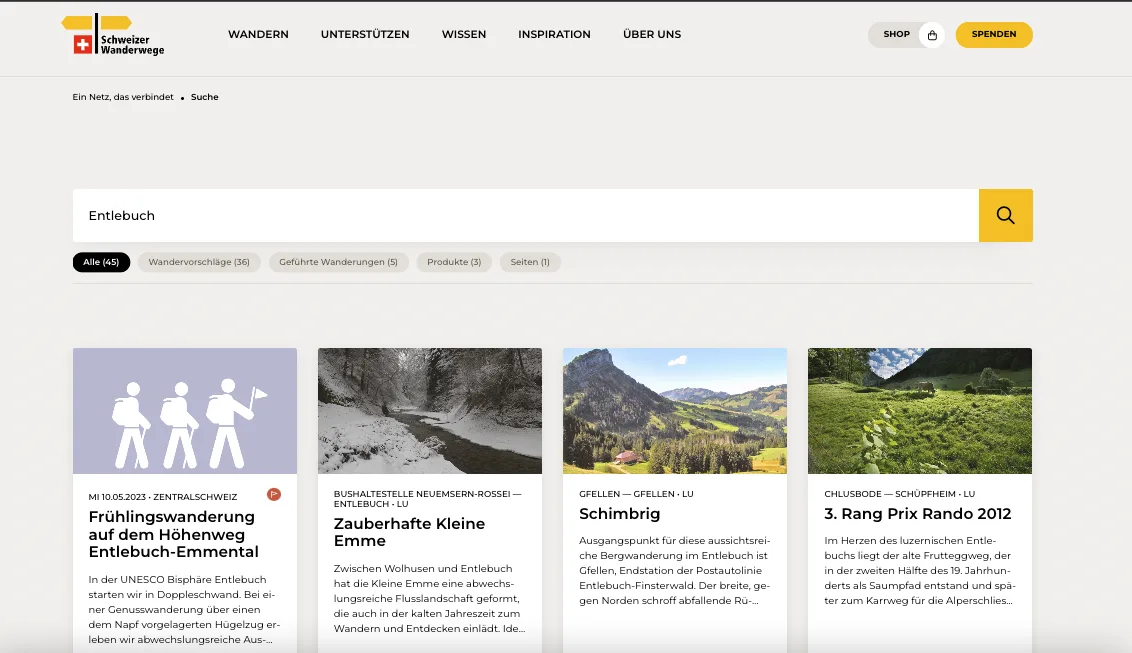
On the Swiss Hiking Trail Federation platform, the search covers the entire website. Two points are central there. First, unpublished content does not end up in the index at all. A page that is not meant to be public yet does not appear in the search either. Second, the results list depends on the role: logged-in members see more than anonymous visitors. That way, nothing becomes visible through the search that is not meant to be visible.
Association management
In the management software of an internationally organised network of service clubs, the same question is central: members are assigned to individual clubs and should only find what belongs to their club.
Intranets
In our intranet projects, search is built in from the start.
The difficult part: permissions
Permissions were the most laborious part, because there are many special cases. We therefore store the roles in Solr and check with every request whether an object is visible to the logged-in person. An example from the intranet: not everyone may see all contracts, but they may see the ones they created themselves. Mapping such mixed cases cleanly is the real work.
What speaks for Solr
- The search behaviour can be configured extensively and tuned to the data in each project.
- Solr specialises in search and leaves out everything else a database can do. That is exactly why it is fast at indexing and at delivering results.
- Building stop words, word forms, error tolerance and ranking yourself would be a project in its own right. With Solr they are included out of the box.
- Open source: there are no licence costs for Solr, and it runs on our own infrastructure.
For platforms with many content types and fine-grained permissions, this is the combination that has proven itself for us.
 Written by
Brandon Hargrave
Senior Fullstack Software Developer